|
NanoXLSX.Reader 3.0.0-rc.3
|
|
NanoXLSX.Reader 3.0.0-rc.3
|
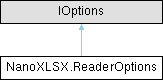
The reader options define global rules, applied when loading a worksheet. The options are mainly to override particular cell types (e.g. interpretation of dates as numbers). More...
Public Types | |
| enum | GlobalType { Default , AllNumbersToDouble , AllNumbersToDecimal , AllNumbersToInt , EverythingToString } |
| Global conversion types to enforce during the load process. All types other than GlobalType.Default will override defined Column types. More... | |
| enum | ColumnType { Numeric , Double , Decimal , Date , Time , Bool , String } |
| Column types to enforce during the read process. The types are tried to be applied on all cells of a particular column. More... | |
Public Member Functions | |
| void | AddEnforcedColumn (string columnAddress, ColumnType type) |
| Adds a type enforcing rule to the passed column address. | |
| void | AddEnforcedColumn (int columnNumber, ColumnType type) |
| Adds a type enforcing rule to the passed column number (zero-based). | |
Static Public Attributes | |
| const string | DefaultDateTimeFormat = "yyyy-MM-dd HH:mm:ss" |
| Default format if DateTime values are cast to strings. | |
| const string | DefaultTimeSpanFormat = "hh\\:mm\\:ss" |
| Default format if TimeSpan values are cast to strings. | |
| static readonly CultureInfo | DefaultCultureInfo = CultureInfo.InvariantCulture |
| Default culture info instance (invariant culture) used for date and time parsing, if no custom culture info is defined. | |
Properties | |
| bool | EnforceDateTimesAsNumbers [get, set] |
| If true, date or time values (default format number 14 or 21) will be interpreted as numeric values globally. This option overrules possible column options, defined by AddEnforcedColumn(int, ColumnType). | |
| bool | EnforcePhoneticCharacterImport [get, set] |
| If true, phonetic characters (like ruby characters / Furigana / Zhuyin fuhao) in strings are added in brackets after the transcribed symbols. By default, phonetic characters are removed from strings. | |
| bool | EnforceEmptyValuesAsString [get, set] |
| If true, empty cells will be interpreted as type of string with an empty value. If false, the type will be Empty and the value null. | |
| bool | EnforceStrictValidation [get, set] |
| If true, invalid data, like column widths or row height that are out of range, will cause an exception when such a workbook is loaded. Tho option is inactive by default (tolerant reader mode). | |
| GlobalType | GlobalEnforcingType = GlobalType.Default [get, set] |
| Global strategy to handle cell values. The default will not enforce any general casting, beside defined values of EnforceDateTimesAsNumbers, EnforceEmptyValuesAsString and EnforcedColumnTypes. | |
| Dictionary< int, ColumnType > | EnforcedColumnTypes = new Dictionary<int, ColumnType>() [get] |
| Type enforcing rules during the read process for particular columns. | |
| int | EnforcingStartRowNumber [get, set] |
| The row number (zero-based) where enforcing rules are started to be applied. This is, for instance, to prevent enforcing types in a header row. Any enforcing rule is skipped until this row number is reached. | |
| string | DateTimeFormat = DefaultDateTimeFormat [get, set] |
| Format if DateTime values are cast to strings or DateTime objects are parsed from strings. If null or empty, parsing will be tried with 'best effort', according to System.DateTime.Parse(string). See also TemporalCultureInfo. | |
| string | TimeSpanFormat = DefaultTimeSpanFormat [get, set] |
| Format if TimeSpan values are cast to strings. | |
| CultureInfo | TemporalCultureInfo = DefaultCultureInfo [get, set] |
| Culture info instance, used to parse DateTime or TimeSpan objects from strings. If null, parsing will be tried with 'best effort', according to System.DateTime.Parse(string) System.DateTime.Parse(string). See also DateTimeFormat and TimeSpanFormat. | |
| bool | IgnoreNotSupportedPasswordAlgorithms [get, set] |
| If set to true, worksheet or workbook protection passwords with unknown / not supported algorithms will be ignored (password hash may not be read). Otherwise, a NotSupportedContentException will be thrown. Default is false. | |
The reader options define global rules, applied when loading a worksheet. The options are mainly to override particular cell types (e.g. interpretation of dates as numbers).
Definition at line 18 of file ReaderOptions.cs.
Column types to enforce during the read process. The types are tried to be applied on all cells of a particular column.
| Enumerator | |
|---|---|
| Numeric | Cells are tried to be imported as numbers (automatic determination of numeric type). |
| Double | Cells are tried to be imported as numbers (enforcing double). |
| Decimal | Cells are tried to be imported as numbers (enforcing decimal). |
| Date | Cells are tried to be imported as dates (DateTime). See also DateTimeFormat, TimeSpanFormat and TemporalCultureInfo. |
| Time | Cells are tried to be imported as times (TimeSpan). |
| Bool | Cells are tried to be imported as bools. |
| String | Cells are all imported as strings, using the ToString() method. |
Definition at line 66 of file ReaderOptions.cs.
Global conversion types to enforce during the load process. All types other than GlobalType.Default will override defined Column types.
Definition at line 39 of file ReaderOptions.cs.
| void NanoXLSX.ReaderOptions.AddEnforcedColumn | ( | int | columnNumber, |
| ColumnType | type ) |
Adds a type enforcing rule to the passed column number (zero-based).
| columnNumber | Column number (0-16383) |
| type | Type to be enforced on the column |
Definition at line 177 of file ReaderOptions.cs.
| void NanoXLSX.ReaderOptions.AddEnforcedColumn | ( | string | columnAddress, |
| ColumnType | type ) |
Adds a type enforcing rule to the passed column address.
| columnAddress | Column address (A to XFD) |
| type | Type to be enforced on the column |
Definition at line 167 of file ReaderOptions.cs.
|
static |
Default culture info instance (invariant culture) used for date and time parsing, if no custom culture info is defined.
Definition at line 34 of file ReaderOptions.cs.
|
static |
Default format if DateTime values are cast to strings.
Definition at line 24 of file ReaderOptions.cs.
|
static |
Default format if TimeSpan values are cast to strings.
Definition at line 29 of file ReaderOptions.cs.
|
getset |
Format if DateTime values are cast to strings or DateTime objects are parsed from strings. If null or empty, parsing will be tried with 'best effort', according to System.DateTime.Parse(string). See also TemporalCultureInfo.
Definition at line 142 of file ReaderOptions.cs.
|
getset |
If true, date or time values (default format number 14 or 21) will be interpreted as numeric values globally. This option overrules possible column options, defined by AddEnforcedColumn(int, ColumnType).
Definition at line 104 of file ReaderOptions.cs.
|
get |
Type enforcing rules during the read process for particular columns.
Definition at line 131 of file ReaderOptions.cs.
|
getset |
If true, empty cells will be interpreted as type of string with an empty value. If false, the type will be Empty and the value null.
Definition at line 115 of file ReaderOptions.cs.
|
getset |
If true, phonetic characters (like ruby characters / Furigana / Zhuyin fuhao) in strings are added in brackets after the transcribed symbols. By default, phonetic characters are removed from strings.
Definition at line 110 of file ReaderOptions.cs.
|
getset |
If true, invalid data, like column widths or row height that are out of range, will cause an exception when such a workbook is loaded. Tho option is inactive by default (tolerant reader mode).
Definition at line 120 of file ReaderOptions.cs.
|
getset |
The row number (zero-based) where enforcing rules are started to be applied. This is, for instance, to prevent enforcing types in a header row. Any enforcing rule is skipped until this row number is reached.
Definition at line 136 of file ReaderOptions.cs.
|
getset |
Global strategy to handle cell values. The default will not enforce any general casting, beside defined values of EnforceDateTimesAsNumbers, EnforceEmptyValuesAsString and EnforcedColumnTypes.
Definition at line 125 of file ReaderOptions.cs.
|
getset |
If set to true, worksheet or workbook protection passwords with unknown / not supported algorithms will be ignored (password hash may not be read). Otherwise, a NotSupportedContentException will be thrown. Default is false.
Definition at line 160 of file ReaderOptions.cs.
|
getset |
Culture info instance, used to parse DateTime or TimeSpan objects from strings. If null, parsing will be tried with 'best effort', according to System.DateTime.Parse(string) System.DateTime.Parse(string). See also DateTimeFormat and TimeSpanFormat.
Definition at line 154 of file ReaderOptions.cs.
|
getset |
Format if TimeSpan values are cast to strings.
Definition at line 148 of file ReaderOptions.cs.
 1.15.0